PNG to WebP Converter

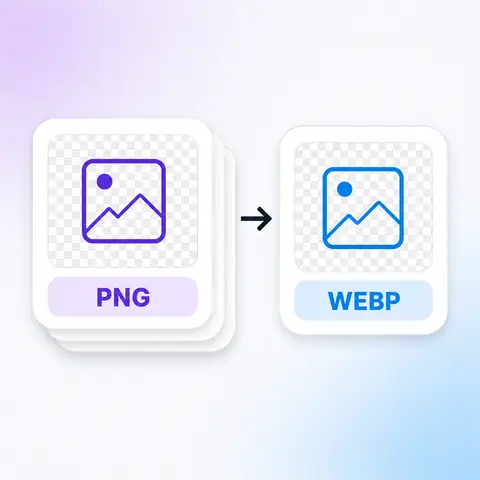
WebP does everything PNG does — including transparency — in a fraction of the space. This converts your files in the browser, which is the single easiest change most sites can make to load faster without touching how anything looks.

Add your PNG files

Tap to browse, or paste from your clipboardClick to browse · Drag & drop · Paste (Ctrl/Cmd + V)

  • PNG in
  • WebP out
  • Up to 50.0 MB

Conversion settings

Nothing is uploaded · runs on your device

Convert to
usually a smaller file
Quality
matched to your original, per image

How it works

Three steps to a WebP

  1. 1

    Add your PNG files

    Drag them in, paste from your clipboard, or tap to browse. A whole folder at once is fine.

  2. 2

    Check the settings

    Quality is matched to your original automatically. Set it by hand instead if you have been given a number to hit.

  3. 3

    Download

    Save your WebP files. Nothing was sent anywhere, so there is nothing to delete afterwards.

Why this one

Why convert PNG to WebP here

Transparency survives intact

This is the conversion where nothing is given up. WebP has a full alpha channel, so a logo with soft edges arrives with those edges exactly as they were. There is no background colour to choose here, because nothing needs filling in.

  • 02

    Where PNG is still the right answer

    Very old software. Some email clients, a few desktop applications and the occasional corporate CMS still cannot open a WebP. Every browser released in the last several years can, so for anything going on a website this is safe — for a file that has to open in whatever a colleague has installed, keep the PNG.

  • 03

    Nothing is uploaded

    Your PNG files are read and written inside your own browser. Nothing is sent to us, which is why there is no size cap beyond what your device can hold and no queue to wait in.

  • 04

    A whole folder at once

    Drop in as many PNG files as you like. Each one is converted separately and gets its own result, so one awkward file cannot spoil the rest of the batch.

  • 05

    It shows you the real numbers

    Every file reports what it weighed before and after, and which way it moved. Where another format would have come out meaningfully smaller than WebP, that is offered next to the file instead of being quietly withheld.

Who it's for

When you'd use it

  • Someone speeding up a website

    Page weight is mostly images. Swapping PNGs for WebP is usually the largest single improvement available, and it needs no code changes beyond the file names.

  • Someone with a folder of them

    A batch that all needs to be WebP before it goes anywhere — dropped in together rather than converted one at a time.

  • Someone on a work laptop

    Software installs are blocked and the files are not theirs to upload to a stranger's server. A browser tab is the only tool available, and it is enough.

FAQ

Frequently asked questions

Still unsure about something? These cover the questions we hear most.

Keep going

Other conversions

Need a QR code as well?

The same site builds QR codes for links, Wi-Fi, contact cards and more — also free, also without an account.

Create a QR code